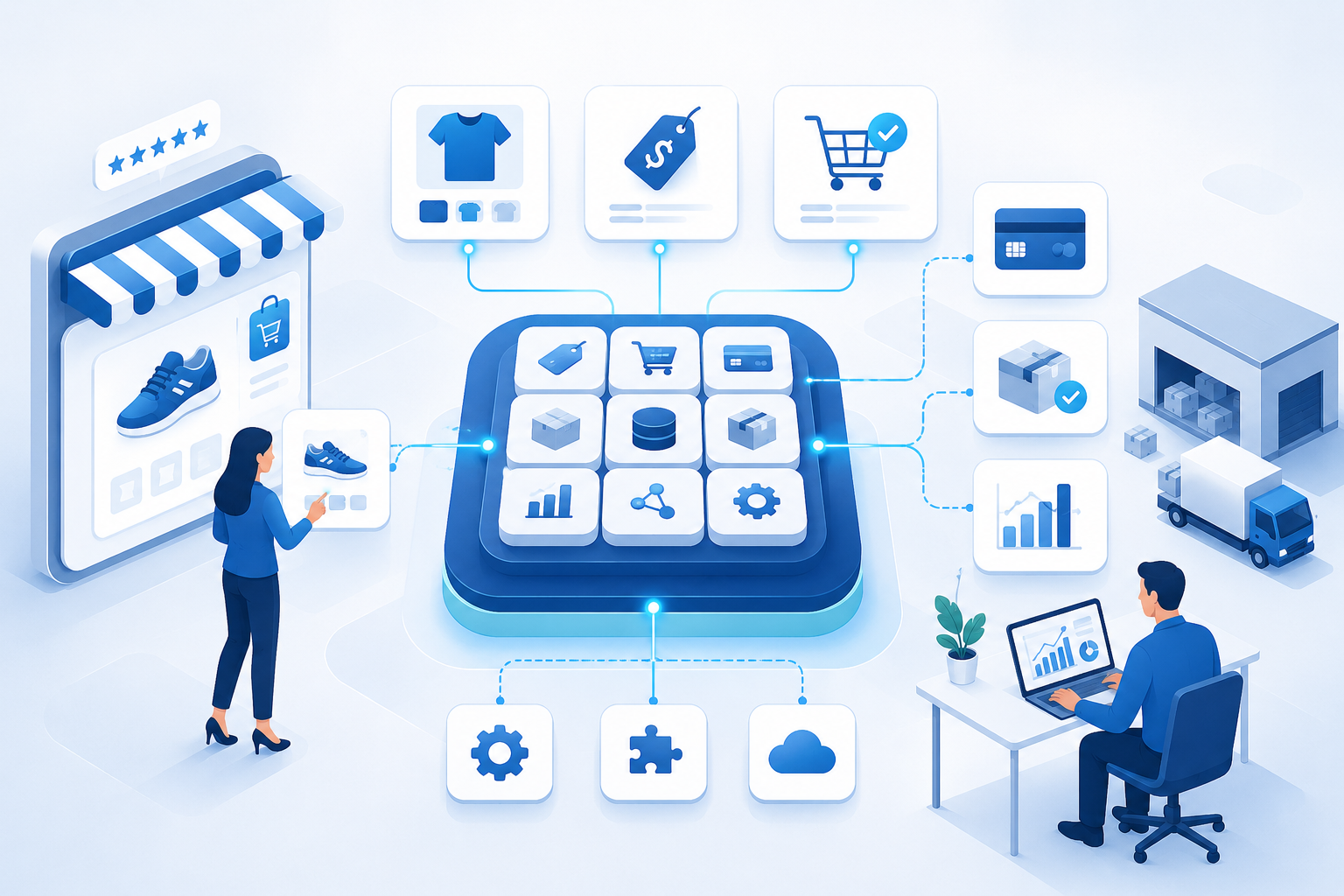
An e-commerce platform is the software and service layer that operates digital sales. The platform manages product data, pricing, cart, checkout, payments, orders, customer accounts and integrations with inventory, shipping, tax, analytics and support systems. The best choice is the platform that fits the business model, controls risk and preserves realistic migration options.
An e-commerce website is what customers see. The platform is the operational foundation that produces and manages that experience. A visual website builder may be part of the platform, but design tools alone do not create a complete commerce system.
The platform must keep several promises at the same time. Product information must be accurate, payment must be processed securely, inventory must not be sold twice, orders must reach fulfillment and staff must be able to issue cancellations or refunds. Platform selection is therefore an operating-model decision rather than a simple comparison of templates.
What Is an E-Commerce Platform?
An e-commerce platform is a collection of software capabilities used to receive and manage digitally placed orders for goods or services. The platform normally provides customer-facing commerce functions and administrative tools while exchanging data with payment providers, warehouses, marketplaces, accounting systems and other business applications.
The 2025 OECD definition of e-commerce focuses on how an order is placed rather than how payment or delivery occurs. The commerce platform supports that digital ordering process and the operational events required to complete it.
A platform may be delivered as a hosted subscription service, installed and managed by the merchant, assembled from separate services or developed as a custom system. The correct architecture depends on transaction complexity, technical capability, growth requirements and the cost of operating the platform over time.
Platform, Website, Marketplace and Payment Gateway
| Term | Primary Role | What It Does Not Necessarily Provide |
|---|---|---|
| E-commerce platform | Runs catalog, cart, checkout, orders and commerce administration | Physical inventory, delivery or accounting by itself |
| E-commerce website | Presents the customer-facing shopping and ordering experience | The complete operational technology behind the site |
| Online marketplace | Connects buyers with multiple independent sellers | Ownership of every product or fulfillment process |
| Payment gateway | Transfers payment information to payment-processing services | Catalog, inventory and full order management |
| Order management system | Coordinates order status, routing and fulfillment allocation | Full storefront content and merchandising |
A business can use one platform to build its online storefront while relying on separate providers for payment, shipping, tax and customer service. The quality of the result depends on how consistently these components exchange data.
How a Commerce Platform Works
A platform coordinates the transaction from product discovery through post-purchase service.
1. Catalog Publication
Administrators create products, variants, collections, prices and availability rules. The platform publishes this data to customer-facing pages and may also send it to marketplaces, search services or product feeds.
2. Customer Session and Cart
The platform records selected products, quantities, customer context and promotional conditions. The cart may be temporary, associated with an account or synchronized across devices.
3. Checkout Calculation
The system validates inventory and calculates discounts, tax, shipping and the final payable amount. Checkout also collects the information required for payment and fulfillment.
4. Payment Interaction
The platform passes payment information or the customer to an appropriate provider. The provider returns a status such as authorized, declined, captured or pending. The order process must respond correctly to each state.
5. Order Creation
The platform generates a unique order record containing items, prices, customer information, payment status, delivery method and other transaction details.
6. Inventory Reservation
The platform or an integrated inventory system allocates stock to the order. This prevents the same unit from being promised to another customer.
7. Fulfillment Exchange
The order is sent to a warehouse, store, supplier or digital-delivery system. Shipment and tracking information then return to the platform.
8. Post-Purchase Management
Staff and customers use the platform to view status, cancel eligible orders, process returns, issue refunds and manage subscriptions or accounts.
Essential E-Commerce Platform Features
Catalog and Product Data
The platform should support the product structure the business actually sells. Important capabilities may include variants, bundles, subscriptions, digital products, configurable products, business pricing and product attributes.
Catalog flexibility should not require uncontrolled custom fields. Product data must remain consistent enough for search, filters, feeds, inventory and reporting.
Pricing and Promotion Rules
A platform may need list prices, regional prices, customer-specific prices, discount codes, automatic promotions, bundles and minimum-order rules. The business should test how several rules interact rather than checking whether each feature exists separately.
Search, Navigation and Merchandising
Customers need categories, filters, site search, sorting and product recommendations that reflect real catalog data. Merchandising tools should allow staff to promote products without breaking permanent navigation or search-engine access.
Cart and Checkout
The cart must preserve product, variant, quantity and price accurately. Checkout should support the required customer information, payment methods, delivery options, tax and error handling.
A platform should not force deceptive urgency, hidden fees or difficult cancellation. A 2024 international review of subscription websites and applications found that nearly 76% of the reviewed services used at least one possible dark pattern and almost 67% used several. Platform flexibility should support transparent design rather than manipulation.
Payment Integration
The platform should connect with suitable payment providers while minimizing unnecessary exposure to cardholder data. Payment design affects both customer experience and security scope.
PCI DSS v4.0.1 introduced additional attention to e-commerce payment-page scripts. A merchant using an embedded third-party payment form still needs to understand how the implementation protects the merchant page from scripts that could affect payment security. Selecting a hosted platform or payment provider does not remove every merchant responsibility.
Order Management
Staff need order search, status history, partial fulfillment, cancellation, refunds, exchanges and exception handling. A feature demonstration should include failed payments, unavailable stock and split shipments rather than only a successful order.
Inventory and Location Support
The platform should either manage stock directly or integrate with the system that owns stock. Multi-location businesses may need reservations, transfers, safety buffers, pickup availability and fulfillment routing.
Our guide to inventory control explains why available-to-promise quantity differs from raw on-hand stock.
Customer Accounts and B2B Functions
Consumer stores may need saved addresses, order history, subscriptions and loyalty features. B2B commerce may require company accounts, several buyers, approval workflows, negotiated prices, credit limits, purchase orders and tax documentation.
Content Management
Commerce pages need supporting content such as guides, comparisons, policies, landing pages and FAQ sections. The platform should allow the business to publish useful content without requiring development for every change.
SEO Controls
A search-friendly platform should support crawlable navigation, editable titles, stable URLs, canonical controls, redirects, structured product data and index management for filters and discontinued products.
Google recommends links from menus to categories, subcategories and products because crawlers do not normally use an internal search box to discover the entire catalog. Our store SEO guide covers these requirements in detail.
Analytics and Data Export
The platform should expose stable order, customer and product identifiers for analytics. Built-in dashboards are useful, but the business should be able to reconcile platform reports with payment, fulfillment and accounting records.
Accessibility
The theme and checkout should support keyboard use, visible focus, understandable forms, appropriate contrast and assistive technologies. WCAG 2.2 is the current W3C Recommendation for web accessibility and has also been approved as an ISO/IEC international standard.
Administration and Permissions
Role-based access should limit who can modify products, issue refunds, export customer data, install applications or change payment settings. Administrative activity should produce a usable audit history.
Main Commerce Platform Types
| Platform Type | Main Advantage | Main Tradeoff | Common Fit |
|---|---|---|---|
| Hosted SaaS | Fast setup and managed infrastructure | Platform limits and recurring dependency | Small and mid-sized stores with standard workflows |
| Self-hosted or open-source | Greater code and hosting control | Security, maintenance and technical ownership | Businesses with development capability |
| Headless commerce | Separate customer experience from commerce services | Integration and operational complexity | Businesses needing several front ends or custom experiences |
| Composable commerce | Specialized services can be selected by capability | Many vendors, contracts and failure points | Organizations with strong architecture and integration teams |
| Enterprise suite | Broad governance, global and B2B capabilities | Implementation cost and slower change | Large, complex organizations |
| Custom platform | Exact control over unique workflows | Highest long-term ownership burden | Business models that standard products cannot support |
Examples of Platform Fit
Small Direct-to-Consumer Brand
A new brand with 40 physical products, one warehouse and standard card payments usually benefits from a hosted platform. The business needs fast launch, dependable checkout and simple integrations more than custom architecture.
Regional Multichannel Retailer
A retailer with stores, pickup and several warehouses needs stronger inventory, order routing and point-of-sale integration. The platform decision should be tested against reservations, returns and location-level availability.
B2B Wholesaler
A wholesaler may require account approval, contract pricing, bulk ordering, purchase orders and several users per customer organization. A visually attractive consumer platform is inadequate when it cannot support these account structures.
Subscription Business
A subscription business needs recurring billing, retry logic, plan changes, pauses, cancellations and access or delivery controls. The platform should make subscription terms and cancellation understandable rather than creating artificial friction.
Marketplace Operator
A marketplace needs seller onboarding, product moderation, commissions, payouts, disputes and responsibility rules. Adding a multi-vendor plugin to a retail store does not automatically create a reliable marketplace operation.
The Platform Selection Framework
A useful selection process begins with business conditions and failure scenarios rather than vendor demonstrations.
Step 1: Define the Transaction Model
Document what is sold, who owns inventory, who accepts payment, who fulfills the order and who handles returns. Include countries, currencies, tax conditions and customer types.
Step 2: Separate Must-Haves From Preferences
A must-have is a capability required to complete or control a transaction. A preference improves convenience but has a workable alternative.
| Requirement | Classification Question |
|---|---|
| Multiple warehouses | Will the business oversell or route orders incorrectly without it? |
| Visual page builder | Can the content team operate with another approved workflow? |
| Subscription billing | Is recurring revenue part of the launch model? |
| Advanced personalization | Is sufficient customer and product data available to use it? |
| Marketplace integration | Which products, orders and stock states must synchronize? |
Step 3: Map Data Ownership
Decide which system owns product, customer, price, inventory, order and financial data. A platform should not be selected before the business understands where authoritative records will live.
Step 4: Test the Hardest Workflow
Use a difficult real example: a bundle with two warehouses, a partial refund, a business account, a subscription pause or a returned marketplace order. Standard demonstrations hide the situations that create implementation cost.
Step 5: Evaluate the Ecosystem
Review payment, shipping, tax, analytics, marketplace and support integrations. Determine whether integrations are native, provided by third parties or require custom development.
Step 6: Review Security and Compliance Responsibility
Ask which security controls the platform manages and which remain with the merchant. Review software updates, administrator access, payment design, backups, incident communication and third-party applications.
Step 7: Test Export and Migration
Export products, customers, orders, discounts, content and media before signing a long contract. Check whether relationships between records remain understandable.
NIST guidance identifies portability and interoperability as important cloud considerations because they reduce dependence on one provider. A theoretical export is not sufficient when the files omit key fields or cannot recreate the operating process elsewhere.
Step 8: Calculate Total Cost of Ownership
Platform cost includes more than the advertised subscription.
| Cost Layer | Examples |
|---|---|
| Platform | Subscription, license, revenue-based fee or transaction charge |
| Implementation | Design, development, configuration, migration and testing |
| Extensions | Applications, connectors, search, subscriptions and reporting |
| Operations | Hosting, monitoring, support, security and administration |
| Change | New markets, workflows, integrations and feature development |
| Exit | Data export, rebuilding, redirects, retraining and parallel operation |
The cheapest platform can become expensive when every important process requires a paid extension or manual work. The most powerful platform can also waste money when the business lacks the team and data required to use it.
A Weighted Platform Scorecard
A scorecard makes tradeoffs visible, but the weights must reflect the business.
| Evaluation Area | Example Weight | Evidence Required |
|---|---|---|
| Transaction fit | 25% | Successful test of complex products and checkout |
| Operations and integrations | 20% | Order, inventory, return and accounting workflow |
| Security and reliability | 15% | Responsibilities, controls, recovery and service history |
| Customer experience | 15% | Mobile, accessibility, performance and error testing |
| Data and portability | 10% | Complete exports, APIs and migration test |
| SEO and content | 5% | Crawlable architecture and template controls |
| Total ownership cost | 10% | Three-year scenario including exit cost |
A weighted score should not override a failed must-have. A platform that scores highly overall but cannot issue the required partial refund is not suitable.
Migration Risk and Vendor Lock-In
Vendor lock-in occurs when changing platforms becomes difficult because of data formats, proprietary applications, custom code, contracts, staff knowledge or operational dependence.
Every platform creates some switching cost. The goal is not zero dependency; the goal is visible and manageable dependency.
Lock-In Warning Signs
- essential records cannot be exported in usable form;
- business logic exists only inside undocumented applications;
- checkout or content cannot operate without one agency;
- product URLs cannot be preserved or redirected;
- transaction fees rise when external providers are used;
- integration access changes by plan without clear notice;
- the business has never tested backup or export procedures.
A migration-readiness file should record data owners, exports, domain control, DNS access, payment accounts, integration credentials, custom logic and redirect requirements.
Common Platform Selection Failures
| Failure | Warning Sign | Consequence | Correction |
|---|---|---|---|
| Choosing by template appearance | Design is approved before order workflows | Operational gaps appear after launch | Test transactions and exceptions first |
| Buying for imagined future scale | Complex architecture with low order volume | Slow implementation and high cost | Select for verified needs plus realistic growth |
| Ignoring extension dependency | Basic operations require many applications | Conflicting updates and fragmented support | Map every critical dependency and owner |
| Assuming hosted means fully secure | No merchant access or script controls | Security responsibilities remain unmanaged | Document shared responsibility |
| Using vendor revenue reports as profit | Fees, returns and fulfillment are excluded | Growth decisions use incomplete economics | Reconcile orders with cost and finance data |
| Skipping migration testing | Export is discussed but never performed | Exit becomes slower and more expensive | Run a sample export before commitment |
| Customizing before learning the platform | Standard processes are replaced immediately | Maintenance burden grows without proven value | Use configuration before custom development |
| Selecting by feature count | Hundreds of features but weak core workflows | Complexity without operational benefit | Score evidence against business decisions |
Practical Example: Selecting a Platform for a Growing Retailer
Consider a home-goods retailer with one website, two stores and 3,500 product variants. The retailer plans to add click and collect, but current inventory updates occur only twice per day.
The team initially prefers a platform with the most attractive page builder. A workflow test shows that the platform cannot reserve store inventory until an employee manually accepts the order. This creates a risk that a walk-in customer buys the same unit.
A second platform has a less flexible theme system but supports real-time reservations, store pickup status, partial refunds and complete order exports. The retailer scores the second platform higher because the operating risk is more important than design convenience.
The final implementation keeps the platform’s standard checkout, connects the existing inventory source and limits initial customization. The retailer launches pickup in two stores, measures cancellation and readiness time, and expands only after the process is reliable.
A 30-Day Platform Evaluation Plan
| Period | Primary Work | Expected Output |
|---|---|---|
| Days 1–7 | Transaction map, requirements and data ownership | Must-have list and architecture diagram |
| Days 8–14 | Vendor demonstrations using difficult workflows | Evidence log and unresolved gaps |
| Days 15–21 | Security, integration, export and cost review | Risk register and three-year cost model |
| Days 22–30 | Prototype, user testing and weighted scoring | Decision with conditions and migration plan |
Frequently Asked Questions
What is an e-commerce platform?
An e-commerce platform is the software and service layer used to manage digital product sales. It normally supports catalog, pricing, cart, checkout, payments, orders, customer accounts and integrations with inventory, fulfillment, tax, analytics and support systems.
What is the difference between a platform and an e-commerce website?
An e-commerce website is the customer-facing shopping experience. The commerce platform is the underlying software used to create and operate that experience. The platform also provides administration, transaction processing and integrations that customers may not see.
What features should an ecommerce platform have?
An ecommerce platform should support the required products, pricing, checkout, payments, orders, inventory, returns, content, SEO, analytics, security and data exports. The exact feature list depends on the business model, markets, customer types, fulfillment structure and technical capability.
What is the best ecommerce platform for a small business?
The best ecommerce platform for a small business is usually a hosted system that supports the real product and order workflow without excessive customization. The business should prioritize dependable checkout, payment, inventory, exports, support and total cost rather than selecting by template count.
What is a headless commerce platform?
A headless commerce platform separates the customer-facing interface from commerce services such as catalog, cart and checkout. This architecture can support several front ends and custom experiences, but it increases integration, testing and technical ownership requirements.
How much does an ecommerce platform cost?
Ecommerce platform cost may include subscription or license fees, transaction charges, applications, implementation, design, integrations, hosting, support, security, maintenance and migration. A useful comparison estimates the full ownership cost over several years rather than only the entry price.
Can an e-commerce business change platforms later?
Yes, but migration difficulty depends on data exports, custom code, applications, URLs, integrations and contracts. Businesses should test exports and document data ownership before selecting a platform so future migration remains a controlled project rather than an emergency.
Should a business build a custom commerce platform?
A business should consider custom development only when standard platforms cannot support a commercially important and verified workflow. Custom platforms create continuing responsibility for security, reliability, integrations, accessibility, testing and development staffing.
Final Summary
An e-commerce platform is the operational software foundation behind digital ordering. The platform connects product information, pricing, checkout, payments, orders, inventory and supporting business systems.
The best platform is not the product with the longest feature list. The best platform supports the business’s hardest transactions, keeps security and data responsibilities visible and avoids unnecessary complexity.
Choose through workflow testing, data-export checks, total-cost analysis and a weighted scorecard. Preserve migration options, limit early customization and expand the architecture only when real customers and operations prove that additional complexity creates measurable value.