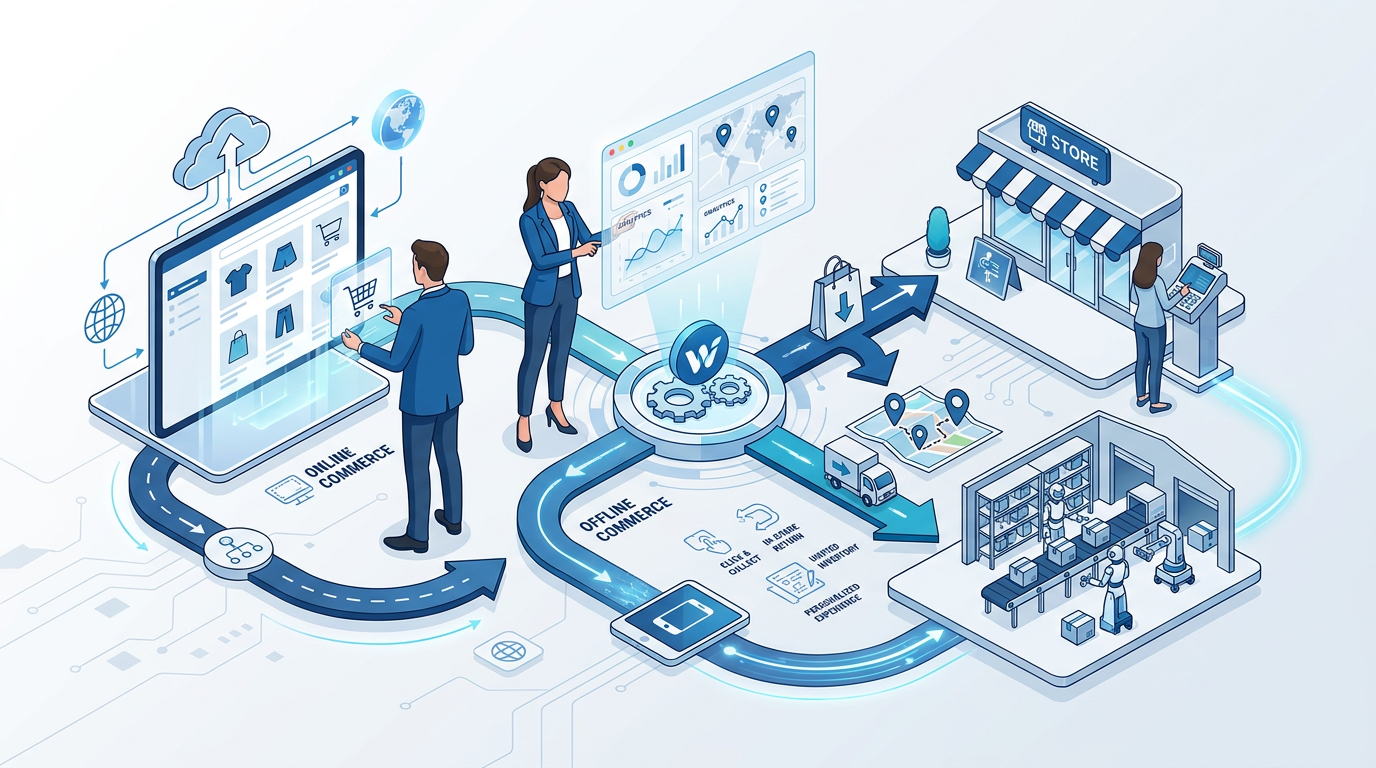
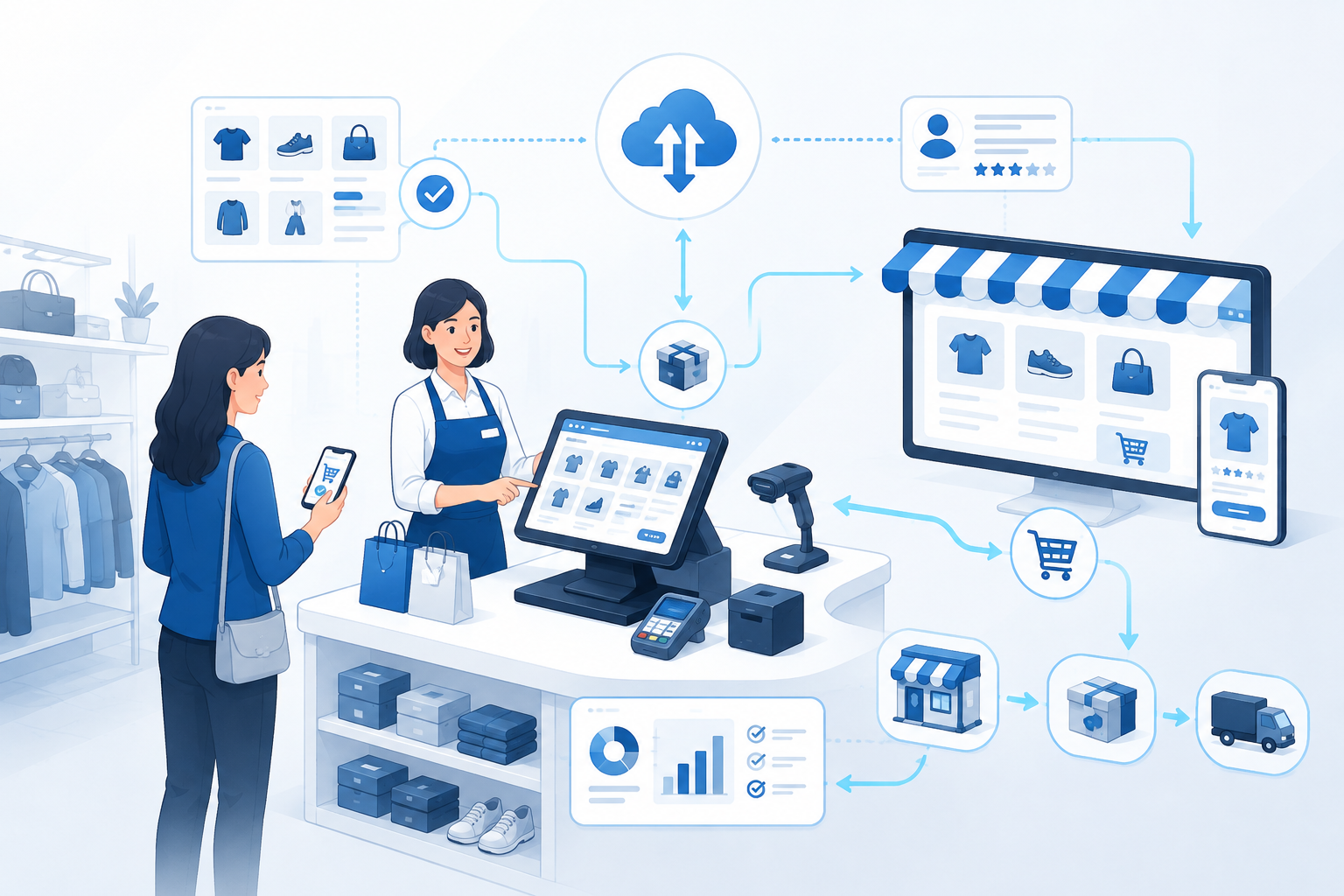
An online retail POS system connects store transactions with digital orders, payments, inventory, returns and customer records. The system should update shared data without treating each channel separately. A reliable setup uses stable product identifiers, clear system ownership, tested offline procedures and transaction reconciliation rather than depending on one dashboard to control everything.
A modern point-of-sale system is more than a cash register. The visible terminal may scan a barcode and accept payment, but the surrounding software can also reserve inventory, retrieve online orders, apply promotions, identify customers, issue refunds and send transaction data to accounting or analytics systems.
The main challenge is synchronization. A store sale should reduce online availability, a store return should update the original order and a payment record should match the recorded sale.
What Is a Retail POS System?
A retail point-of-sale system is the combination of software, payment acceptance, hardware and operational procedures used to complete and record store transactions. The system typically identifies products, calculates prices and taxes, accepts payment, creates a receipt, updates stock and records the transaction for later reporting.
An online retail POS system extends that role by exchanging data with a website, marketplace, order management system, inventory platform or customer database. The goal is not merely to show online orders on a store screen. The goal is to maintain one understandable transaction history across channels.
A POS system may include:
- a terminal, tablet or computer;
- barcode or 2D-code scanners;
- payment acceptance hardware;
- receipt printer or digital receipt function;
- cash drawer and peripheral devices;
- product, price and promotion software;
- inventory and order integrations;
- staff permissions and audit logs;
- reporting and reconciliation tools.
POS Terminal, POS Software and Commerce Platform
| Component | Primary Role | Typical Data |
|---|---|---|
| POS terminal | Supports the in-store transaction interface | Scans, quantities, tender and receipt |
| Payment terminal | Accepts and authenticates payment | Authorization, token and transaction status |
| POS software | Calculates and records the retail sale | Products, prices, taxes, discounts and cashier actions |
| Commerce platform | Runs the online storefront and digital checkout | Online carts, orders, accounts and web catalog |
| Inventory system | Controls product quantity and location states | On hand, available, reserved and blocked stock |
| Order management system | Coordinates cross-channel order status and routing | Pickup, shipment, cancellation and return status |
The terminal is not the whole system, and the payment terminal is not the sales ledger. Retailers can replace card hardware or the storefront while preserving central order and stock records.
Our guide to the commerce platform explains the software layer behind catalog, checkout and online orders.
What Online Retail POS Must Synchronize
Online retail POS depends on controlled synchronization rather than a single screen. Product identities, prices, available stock, orders, payments and customer actions must move between systems with clear ownership and transaction references.
How Online and In-Store Sales Stay Connected
A connected retail operation relies on shared identifiers and controlled data flows.
1. Product Identification
The same sellable variant should use a stable identity across the POS, website, inventory system and product feed. A blue medium shirt must not become one SKU online and another SKU in the store unless a documented mapping connects them.
GS1 defines the Global Trade Item Number as an identifier for products and services that are priced, ordered or invoiced. Retailers can also maintain internal SKUs, but the relationship between identifiers must remain consistent.
2. Price and Promotion Distribution
The retailer needs a defined source for base price, regional price, customer price and promotion rules. The POS and website may support different promotions, but the policy must be intentional and explainable.
3. Inventory Updates
Every completed sale, return, reservation, transfer and adjustment changes the inventory picture. The store should publish available-to-promise stock rather than raw on-hand quantity.
4. Order Exchange
Online orders may be shipped from a warehouse, picked from a store or collected by the customer. The POS or store application needs enough information to verify the order, record handoff and manage allowed changes.
5. Customer Recognition
A connected system may recognize a customer through an account, email address, phone number, loyalty identifier or transaction reference. Customer identification should support a defined service purpose and follow applicable privacy rules.
6. Financial Reconciliation
The recorded sale, payment authorization, captured amount, refund and accounting entry should be reconcilable. Two systems can display similar revenue totals while containing different transaction states.
The Five Ledgers Behind a Connected POS
A useful way to design retail integration is to separate five ledgers rather than forcing one application to own every fact.
| Ledger | What It Records | Typical Source of Truth |
|---|---|---|
| Product ledger | SKU, variant, barcode and product attributes | Product information or commerce system |
| Inventory ledger | Quantity, location, reservation and condition | Inventory or warehouse system |
| Order ledger | Items, customer, fulfillment and order status | Commerce or order management system |
| Payment ledger | Authorization, capture, settlement and refund | Payment provider and finance records |
| Customer ledger | Identity, consent, loyalty and service history | CRM or customer account system |
The POS can interact with every ledger without becoming the permanent owner of each one. This distinction reduces integration conflicts and makes migrations easier.
Inventory Synchronization at the Point of Sale
Inventory synchronization is the most visible connection between store and online retail. The process should define when a unit stops being available for another customer.
A basic sequence is:
- the cashier scans the product variant;
- the POS validates price and eligibility;
- payment or another tender is accepted;
- the sale is committed with a unique transaction ID;
- the inventory ledger records the unit as sold;
- updated availability is published to connected channels.
The sequence changes for returns, suspended transactions, layaway, pickup reservations and failed payments. A system should not reduce final stock merely because an item was scanned, but it also should not wait hours after a completed sale to update online availability.
Our article on inventory control explains why available, reserved, quarantined and on-hand quantities should remain separate.
Payments at Retail POS
Retail POS systems may support cash, chip cards, contactless cards, mobile wallets, QR payments, gift cards, store credit and other local methods. Payment acceptance should fit customer expectations without creating unnecessary operational complexity.
EMVCo maintains specifications that support chip and contactless payment interoperability. EMV acceptance can use traditional terminals, and approved mobile approaches can allow merchants to accept contactless payments with suitable NFC-enabled devices.
Authorization Is Not Settlement
A successful authorization indicates that the payment was approved under the payment process. The retailer may still need capture, batching, clearing and settlement before funds become final in the merchant account.
The POS should preserve the relationship between the retail transaction, payment authorization, captured amount, refund and settlement record.
Split and Mixed Tender
Customers may use several payment methods in one sale, such as gift card plus bank card. The return process must know which tender can receive the refund and whether store credit rules apply.
Payment Security and PCI Scope
PCI DSS establishes baseline technical and operational requirements for protecting payment account data. A retailer remains responsible for understanding which systems store, process or transmit payment data.
A PCI-listed point-to-point encryption solution can significantly reduce the number of PCI DSS requirements applicable to a merchant’s cardholder data environment, according to PCI Security Standards Council guidance. The solution does not remove all merchant responsibilities.
Retailers should control:
- administrator and cashier access;
- payment-device inventory and inspection;
- software updates and unsupported devices;
- third-party remote access;
- network segmentation where applicable;
- incident and terminal-replacement procedures;
- retention of payment-related data.
A payment terminal should never be treated as trusted simply because it continues accepting transactions. Device substitution, tampering, unsupported software and misconfigured remote access all require operational controls.
Online Orders at the Store
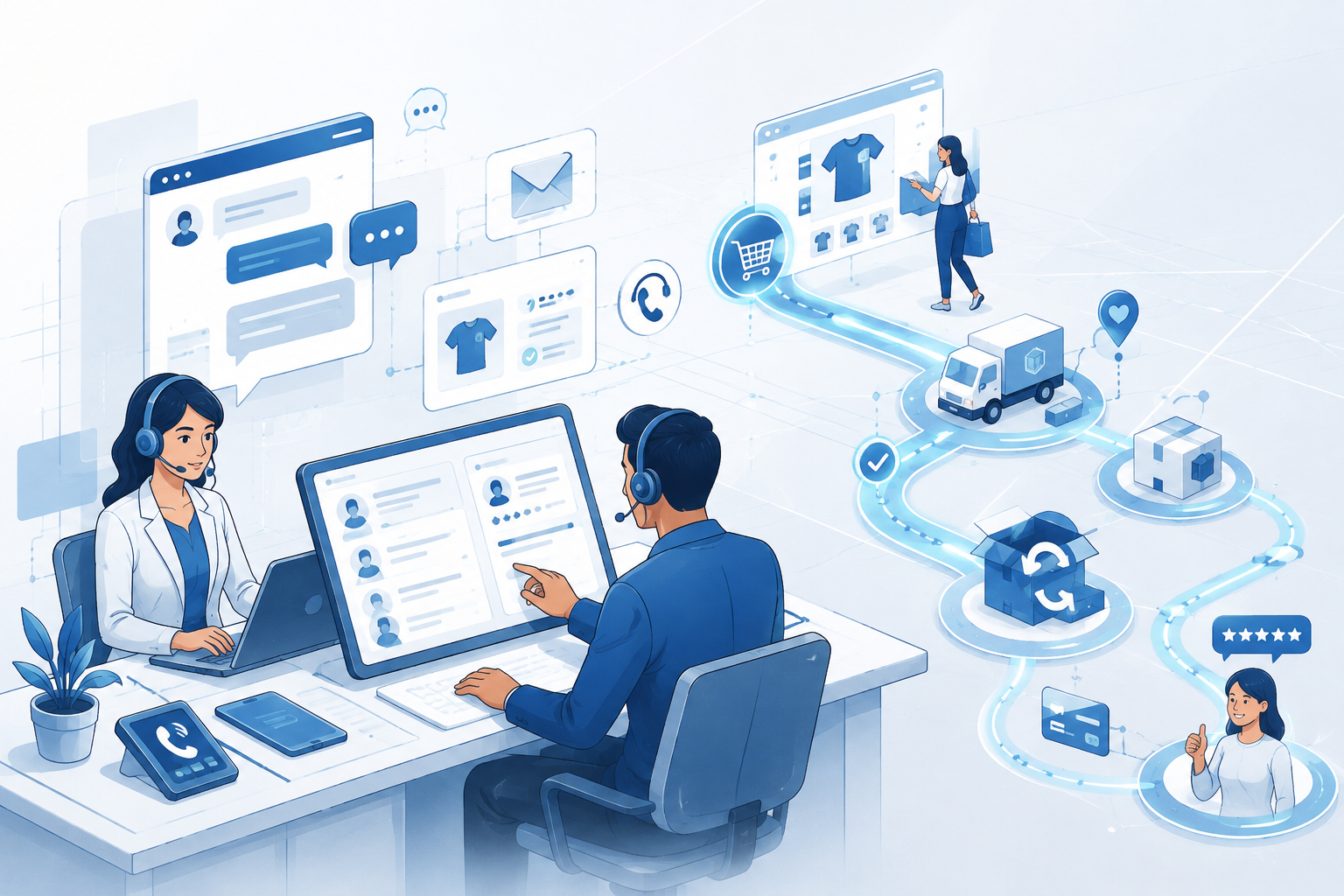
A store may act as a pickup point, fulfillment location, return desk or customer-service location for digital orders. The store application must show the order state clearly.
| Order State | Store Meaning | Required Action |
|---|---|---|
| Placed | The order exists but may not be ready | Do not promise pickup yet |
| Reserved | Stock is allocated to the order | Locate and verify the item |
| Ready | The item is staged and verified | Notify and prepare handoff |
| Collected | The customer received the order | Record identity check and completion |
| Expired | The pickup window ended | Release stock under policy |
| Cancelled | The order will not be completed | Release stock and process payment action |
The payment confirmation and pickup-ready confirmation are different events. Sending a ready message before staff physically verifies the item creates avoidable store visits and cancellations.
Cross-Channel Returns
Returns expose whether the POS and online systems are genuinely connected. A store employee needs to identify the original order, confirm return eligibility, calculate the refundable amount and choose the correct inventory state.
A cross-channel return may involve:
- an online order returned to a store;
- a store purchase returned through another branch;
- a partial return from a bundle;
- a promotion that changes the refund value;
- a gift receipt with limited customer information;
- a damaged product that cannot return to sellable stock.
The item and the money follow separate paths. A refund can be approved before the warehouse or store finishes inspecting the product. The POS should not automatically return every refunded unit to available inventory.
Customer Accounts and Loyalty
Connected POS software can apply loyalty benefits, retrieve purchase history and support customer-specific offers. The retailer should define whether customer identity is required, optional or unnecessary for each transaction.
Customer identification should remain optional unless the transaction or applicable rules require it. Staff also need a controlled way to correct duplicate accounts.
Offline Mode and Store Resilience
Cloud-based POS software depends on network and service availability, but a store still needs a defined response when connectivity fails. “Offline mode” can mean different things across systems.
| Offline Capability | Question to Verify |
|---|---|
| Product lookup | Which products, prices and taxes remain available locally? |
| Payment acceptance | Which tenders can be accepted, and who carries the decline risk? |
| Inventory | When will local sales synchronize with other channels? |
| Receipts | Can the store produce a valid receipt and transaction reference? |
| Returns | Are returns blocked, limited or queued? |
| Recovery | How are duplicate or conflicting transactions handled? |
Offline payment acceptance can transfer risk to the merchant when authorization is delayed. The retailer may set transaction limits, restrict products or disable certain tenders during an outage.
How to Choose a POS System for Retail Store Operations
A POS system for retail store operations should be evaluated through complete transactions rather than a feature checklist. The system must support the retailer’s products, payment methods, inventory rules, returns, staff roles and online order flows without depending on repeated manual correction.
When comparing cloud retail POS software, confirm what continues working during an internet or vendor outage, where transaction data is stored, how updates are deployed and how the business exports its records. Cloud delivery can simplify maintenance across locations, but it also makes connectivity, service availability and account control part of operational resilience.
Retail POS Software Selection
The best online retail POS software is not the product with the largest feature list. The best system supports the retailer’s actual products, tenders, locations, returns and integration responsibilities.
The best online retail POS software is not automatically the product with the longest feature list. A suitable online retail POS solution should complete normal and exceptional workflows consistently, while giving the retailer usable records for reconciliation and migration.
1. Map the Transaction Types
Document normal sale, return, exchange, pickup, delivery, gift card, split tender, tax exemption, discount and outage scenarios.
2. Identify Data Owners
Decide which system owns products, prices, inventory, orders, payments and customer records. Vendor demonstrations should follow that architecture.
3. Test the Hardest Workflow
Use a real cross-channel example such as an online bundle returned partially to another store with a promotion and mixed tender.
4. Test Failure Recovery
Disconnect the internet, duplicate an order message, reject a payment and delay inventory synchronization. Determine whether staff can recognize and recover the transaction.
5. Review Hardware and Support
Check scanners, payment devices, printers, cash drawers, mobile devices and replacement procedures. Hardware failure during trading hours needs a practical support route.
6. Calculate Total Cost
Include software, terminals, payment fees, integrations, implementation, data migration, staff training, device replacement, support and future exit costs.
POS Deployment Scorecard
| Evaluation Area | Evidence Required | Failure Signal |
|---|---|---|
| Transaction fit | Successful tests of normal and exceptional sales | Staff need manual workarounds |
| Inventory integrity | Reservations and stock updates reconcile | Online availability lags behind store sales |
| Payment control | Authorization, refund and settlement match | POS revenue differs from processor totals |
| Store resilience | Documented outage and recovery tests | Staff do not know what remains available offline |
| Security | Device, access and remote-support controls | Shared administrator accounts or unknown devices |
| Portability | Usable exports of products, sales and customers | Critical history cannot be migrated |
POS System for Retail Clothing Store Requirements
A POS system for retail clothing store operations needs precise variant control. Size, color, style and season should remain separate sellable identities even when they share a product name. Combining variants into one quantity may produce a correct total while promising the wrong item to an online customer.
Clothing retailers should test exchanges, mixed promotions, gift receipts, markdowns, damaged returns and transfers between locations. The POS should also show whether a returned item is sellable, requires inspection or must be removed from available inventory. These controls matter because apparel often has high variant counts and frequent return or exchange activity.
POS system software for retail store use should therefore preserve the original price, promotion, tender and item identity throughout the return or exchange. A manual refund that loses this context can distort margin, tax, inventory and customer history.
Practical Example: A Three-Store Retailer
Consider a retailer with three stores and one online shop. Each location uses a separate POS database, while the website receives inventory updates every night.
Initial Problem
A customer orders the last unit online for store pickup. Before staff see the order, another customer purchases the unit at the counter. The website order must be cancelled and refunded.
Redesigned Flow
The retailer assigns one variant identifier across all systems and introduces central reservations. Online pickup orders reserve stock immediately. Store sales publish inventory changes after the transaction is committed.
Return Control
Store employees can retrieve online orders using the order reference. Returned products enter a quarantine state until condition is verified. Refunds remain linked to the original payment.
Outage Procedure
During a connection failure, the store accepts limited transactions from a local product and price cache. The business temporarily removes the location’s small available quantities from online pickup promises until synchronization completes.
The improvement is not simply faster software. The improvement is a clearer rule for which transaction owns the final unit.
Common Retail POS Failures
| Failure | Warning Sign | Impact | Correction |
|---|---|---|---|
| Different SKUs by channel | Online and store sales cannot reconcile by variant | Inventory and reporting errors | Create and govern one identifier map |
| Nightly inventory updates | Fast-moving products oversell during the day | Cancellations and failed pickups | Use central reservations and faster updates |
| POS used as the only source of truth | Online orders overwrite store assumptions | Conflicting product and order records | Assign ownership by data domain |
| Returns added directly to stock | Damaged products are sold again | Repeated returns and customer complaints | Use inspection and quarantine states |
| Payment totals treated as sales totals | Refund, tip, tax or settlement differences remain unexplained | Accounting reconciliation fails | Link sales, payment and settlement IDs |
| No offline policy | Staff improvise during outages | Fraud, duplicates and unavailable products | Define limits, tenders and recovery rules |
| Shared staff accounts | Refunds and overrides cannot be attributed | Weak audit and security control | Use individual roles and approval rules |
| Choosing by hardware appearance | Terminal looks modern but workflows fail | Manual work and integration cost | Evaluate end-to-end transactions first |
How POS Supports Omnichannel Retail
A POS system supports omnichannel retail when the store can recognize and complete customer journeys that began elsewhere. Examples include pickup, store returns for online orders, endless-aisle ordering and loyalty use across channels.
The POS alone does not create omnichannel capability. The surrounding inventory, order, customer and policy systems must share dependable information. Our guide to omnichannel retail explains the wider operating model.
Frequently Asked Questions
What is an online retail POS system?
An online retail POS system is point-of-sale software that exchanges product, order, inventory, payment or customer data with online sales channels. The system records store transactions while helping the retailer maintain consistent information across physical locations and digital ordering.
What does POS mean in retail?
POS means point of sale. In retail, the point of sale is where a transaction is calculated, paid and recorded. A modern POS system may also update inventory, retrieve customer accounts, process returns and connect to online orders.
What is the difference between POS software and a payment terminal?
POS software manages the retail transaction, including products, prices, discounts, taxes and receipts. A payment terminal accepts and authenticates card or contactless payment. The two systems usually exchange transaction amounts and payment status but perform different roles.
Can a POS system connect to an e-commerce website?
Yes. A POS system can connect to an e-commerce website directly or through a commerce, inventory or order management platform. The integration can synchronize products, stock, customers, online orders, returns and sales data.
How does a POS system prevent overselling?
A POS system helps prevent overselling by sending completed store sales to the inventory ledger and respecting reservations created by online orders. The central system should publish available-to-promise quantities rather than independent channel totals.
What happens if a cloud POS loses internet access?
The result depends on the offline design. Some systems retain local product and price data and queue transactions for later synchronization. Payment, returns and inventory functions may be limited. Retailers should test offline limits and conflict recovery before deployment.
Is retail POS software subject to PCI DSS?
PCI DSS applies to environments that store, process or transmit payment account data. The exact scope depends on the payment design. PCI-listed point-to-point encryption can reduce applicable requirements, but merchants retain responsibilities for their environment and procedures.
What should a small retailer look for in POS software?
A small retailer should prioritize dependable sales, returns, inventory updates, payment integration, staff permissions, usable exports, support and outage recovery. The system should fit current workflows without requiring many manual spreadsheets or unnecessary extensions.
Final Summary
Retail POS systems connect the physical sale with the wider retail operation. A reliable setup keeps product identities stable, updates inventory promptly, links payments to sales and supports online pickup and cross-channel returns.
The most important design decision is data ownership. Product, inventory, order, payment and customer records may live in different systems, but every transaction needs a clear source of truth and a consistent identifier.
Choose retail POS software through real transaction tests, failure recovery, security review and total-cost analysis. The best online retail POS solution is the system that keeps store and online promises consistent even when payments fail, connections drop or customers change channels.